750×520 · 2s
PK & GamesSVGA
New: App Starter Pack — 368 files for a new app at $199 (Save 64%)See the pack
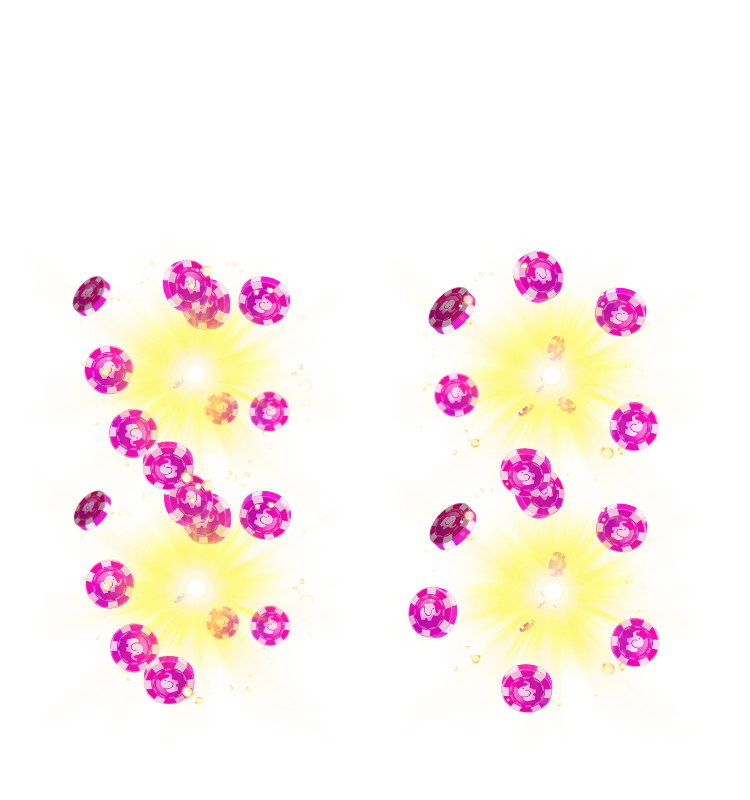
Paired coin bursts stacked in two columns
Here the coin bursts are stacked in pairs, forming two tall columns of pink chips and yellow light on either side of an empty centre. Lasting 2.5 seconds at 20 fps, it fits a four-player layout where winnings land beside seats on the left and right of the board.
Price
USD · one-time purchase
Secure checkout · your file unlocks the moment payment completes.
Format
SVGA 2.x
Dimensions
750×800
Duration
2.5s
Frame rate
20 fps
Frames
50
File size
359 KB
Bitmaps
12
Audio
No
Stacked Coin Collect Columns is an SVGA PK battle animation for live-streaming and voice chat apps. Here the coin bursts are stacked in pairs, forming two tall columns of pink chips and yellow light on either side of an empty centre. Lasting 2.5 seconds at 20 fps, it fits a four-player layout where winnings land beside seats on the left and right of the board.
It runs 50 frames at 20 fps — 2.5s per loop — on a 750×800 canvas, built from 1053 sprites and 12 bitmaps, with no audio. The whole file is 359 KB, and it plays with SVGAPlayer on Android, iOS, Flutter and web.
| SKU | AVG-5167 |
|---|---|
| File name | stacked_coin_collect_columns.svga |
| Format | SVGA 2.xProtobuf + zlib, the format SVGAPlayer reads |
| Version | 2.1.0 |
| File size | 359 KB367,920 bytes |
| Dimensions | 750 × 800 px |
|---|---|
| Aspect ratio | 15:16 |
| Shape | Square |
| Suggested stage | Dark background |
| Frame rate | 20 fps |
|---|---|
| Frames | 50 |
| Duration | 2.5s2500 ms per loop |
| Frame time | 50.0 ms |
| Sprites | 1053 |
|---|---|
| Bitmap images | 12 |
| Audio track | No |
| Category | PK Battles & Games |
| Added | Oct 15, 2026 |
Figures are read from the .svga file itself (movie params, sprite and image tables), not typed in by hand.
More PK & Games
More from PK Battles & Games and matching tags — hover a card, or tap its play button, to see it move.
PK & GamesSVGA
PK & GamesSVGA

PK & GamesSVGA

PK & GamesSVGA
PK & GamesSVGA

PK & GamesSVGA

PK & GamesSVGA

PK & GamesSVGA
PK & GamesSVGA

PK & GamesSVGA

PK & GamesSVGA
PK & GamesSVGA