Rich and charm levels: 101 badges each for senders and receivers
Rich levels track what a user sends and charm levels track what they receive. How to tell the two ladders apart at a glance, where the badges belong, and how the Rich Level and Charm Level packs cover every level from 0 to 100.
svgastore team3 min read

Almost every live app with gifting runs two level ladders side by side. The rich level grows with the coins a user sends. The charm level grows with the gifts a user receives. One rewards generosity, the other popularity, and most active users carry both. Because the two badges usually sit next to each other beside a name, they have one job above all: to be told apart in a fraction of a second.
Two ladders, 101 levels each
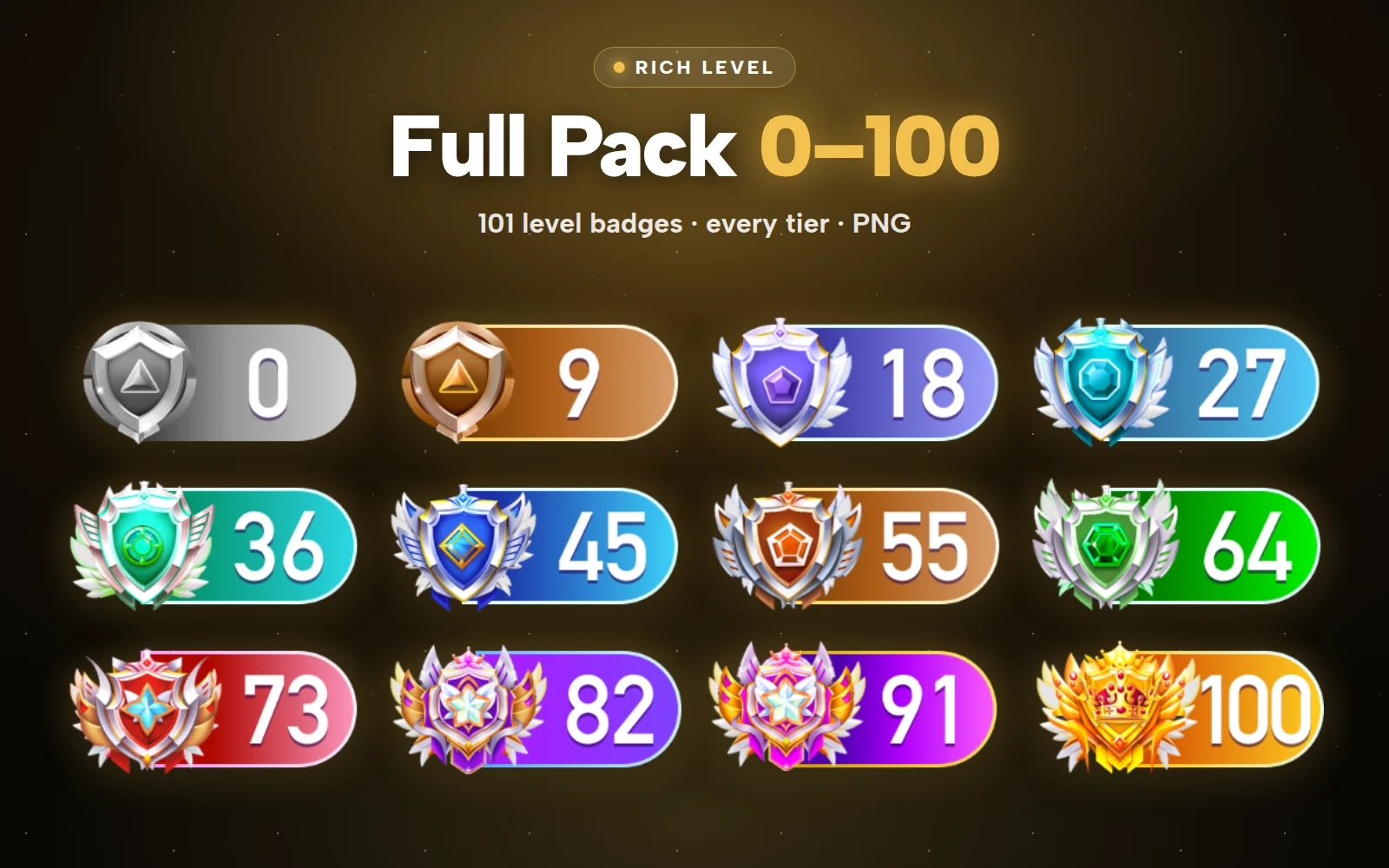
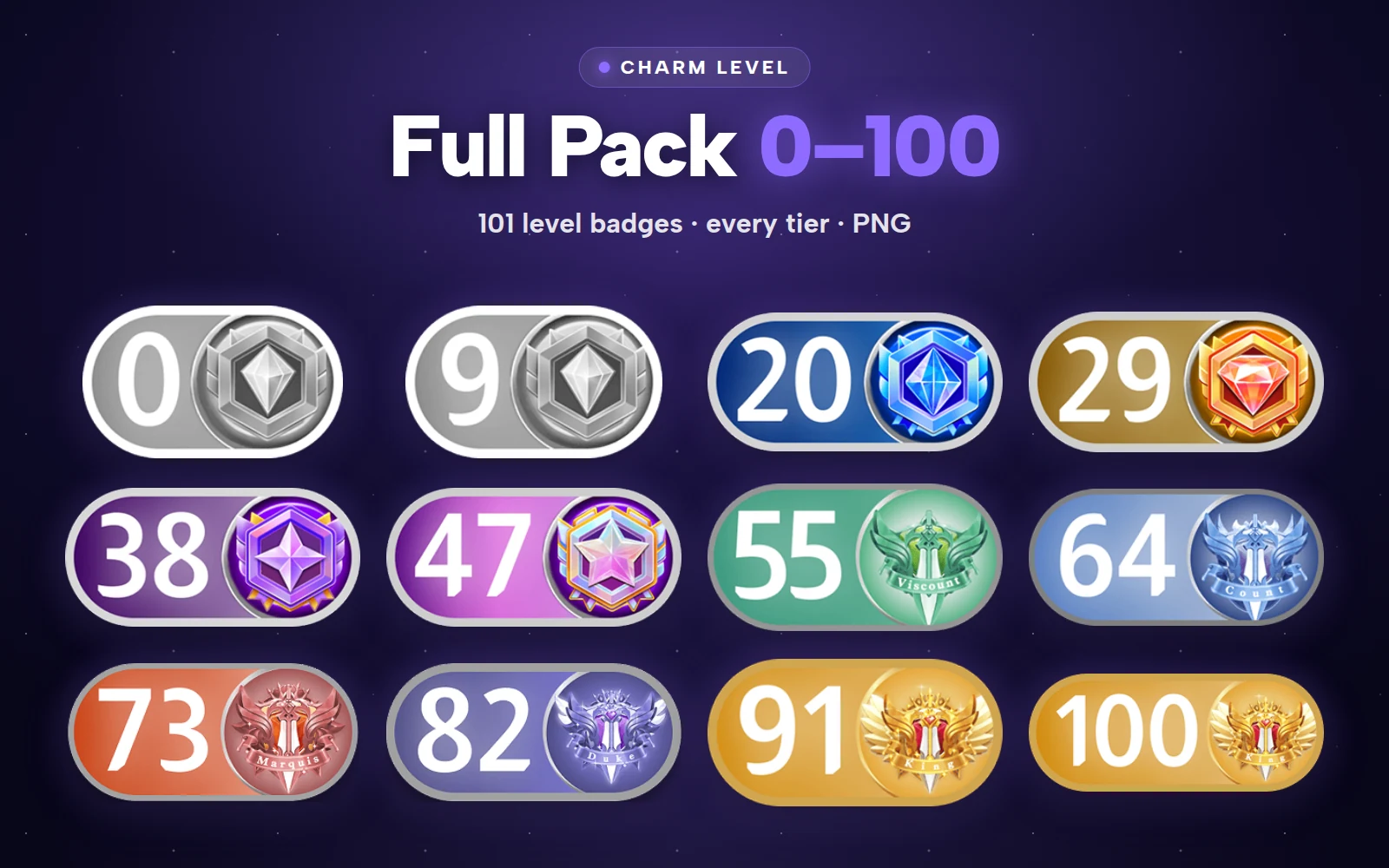
The Rich Level and Charm Level packs each hold 101 PNG badges, one for every level from 0 to 100.
| Rich Level | Charm Level | |
|---|---|---|
| Badges | 101 (0–100) | 101 (0–100) |
| Format | PNG | PNG |
| Canvas | 258×117 | 120 to 150 px tall, 234 to 325 px wide |
| Size | 23–49 KB | 10–47 KB |
Each pack is sold as one pack: a ladder with gaps is no use.
 −20%258×117
RichPNG
Rich Level 1
 −20%258×117
RichPNG
Rich Level 10
 −20%258×117
RichPNG
Rich Level 60
- −20%258×117
RichPNG
Rich Level 100
Mirror images
The two sets are designed to be read together. A rich badge puts its emblem, a shield with a jewel, on the left and the level number on the right. A charm badge does the opposite: the number comes first and a star emblem sits on the right. Put them side by side and they read as a pair rather than as two of the same thing.
The colours and emblems also climb with the level. The rich shield is purple at level 10 and green at level 60; the charm star is purple at level 50, and level 100 becomes a gold winged crest. That gives each ladder visible bands, so a user can tell a level 60 from a level 10 without reading the number.
 −20%234×150
CharmPNG
Charm Level 1
 −20%253×150
CharmPNG
Charm Level 10
 −20%316×150
CharmPNG
Charm Level 50
 −20%300×120
CharmPNG
Charm Level 100
Why these are PNG
A rich or charm badge appears next to almost every user name: on mic seats, in chat, in the online list, on rankings and on profiles. In a busy room that can be hundreds of badges on screen over a few minutes. Animated, that would cost far more than it adds. As PNG, each badge is a few tens of kilobytes and can be cached once.
Keep the animation for the moment the level changes. A short level-up banner in the room, with the new badge shown large, makes the change feel like an event while the badge itself stays light everywhere else.
Where to show which ladder
Chat and mic seats: both badges, rich first, then charm, always in that order.
Gift panel and top-up screens: rich level, with progress to the next level.
Host profiles and host lists: charm level first, because that is what viewers judge a host by.
Rankings: the ladder the ranking is about, not both.
Setting the thresholds
A 0 to 100 ladder needs a curve, not a straight line. Make the first levels quick, so a new user sees their badge change in their first session, and let the gaps widen steadily. If your top level is reachable in a few weeks, the ladder is too short; if nobody has passed level 30 after a year, it is too steep. Check where your active users sit after the first month and adjust the upper thresholds before most people reach them.
A third ladder
If your app also rewards hosts for growing an audience, an influence level is the natural third ladder. The Influence Level Pack has ten levels as slim animated tags with PNG stills, a different shape again so it never gets confused with rich or charm.




Charm Level
All 101 charm level badges, 0 to 100, in one pack
Both ladders also come inside the App Starter Pack, with 50 gifts, 20 entrances, 25 avatar frames, staff role tags and badges, chat emoji and palace backgrounds for a new app.



Next step
Put a rich and a charm badge next to a user name in your chat design and check they read as two different things at your real font size. Then write the threshold curve for both ladders. The packs hold every level from 0 to 100, so you will not need to fill gaps later.