

750×154 · 4s
New: App Starter Pack — 368 files for a new app at $199 (Save 64%)See the pack

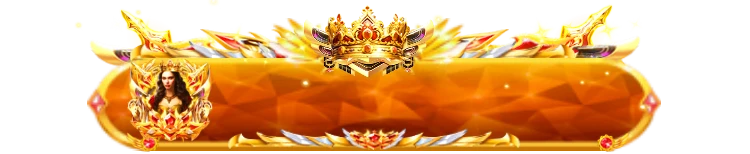
Moss-green header with a corner glint
Olive green close to moss tints the curved upper edge of this strip before it sinks into a very dark olive, and a pale beam cuts across the top left corner. Use the 25 KB PNG to colour one level in a VIP list or to head a benefits panel; it joins the bar series of the VIP 1 camel pack.
Sold with the set
Part of VIP Set 1
This file comes with the whole VIP Set 1 set and is not sold on its own.
Format
PNG
Dimensions
750×140
Type
Still artwork
Transparency
Alpha
File size
25 KB
Use
Any app
Better value
Included in VIP Set 1
39 animations for $26 (save 56%)
Works out at $0.67 per animation vs $1 on its own.
VIP 1 Olive Level Bar is a PNG gift image for live-streaming and voice chat apps. Olive green close to moss tints the curved upper edge of this strip before it sinks into a very dark olive, and a pale beam cuts across the top left corner. Use the 25 KB PNG to colour one level in a VIP list or to head a benefits panel; it joins the bar series of the VIP 1 camel pack.
A 750×140 still image. The whole file is 25 KB, small enough to bundle inside your app instead of downloading it on demand.
| SKU | AVG-5342 |
|---|---|
| File name | vip_1_olive_level_bar.png |
| Format | PNGStill image with alpha transparency |
| Version | PAG |
| File size | 25 KB25,639 bytes |
| Dimensions | 750 × 140 px |
|---|---|
| Aspect ratio | 5.36:1 |
| Shape | Wide / banner |
| Suggested stage | Dark background |
| Category | VIP Sets |
|---|---|
| Added | Oct 15, 2026 |
Figures are read from the .png file itself, not typed in by hand.
More VIP Sets
More from VIP Sets and matching tags — hover a card, or tap its play button, to see it move.
VIPSVGA

GiftsSVGA

FramesSVGA

BadgesSVGA
BadgesSVGA
BadgesSVGA

BadgesSVGA
BannersSVGA
BannersSVGA

BannersSVGA