

224×104 · 0.7s
Instant download after checkout · use code WELCOME10 for 10% off your first order
00:00.0 / 00:03.0
Live preview · the file you download is exactly this
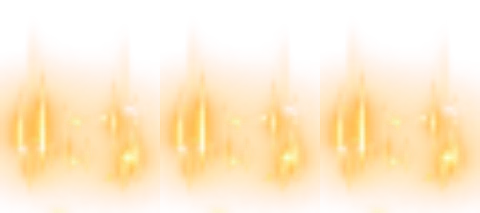
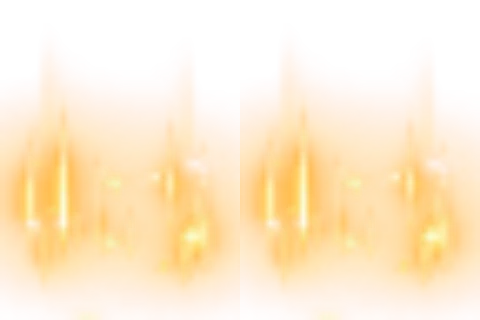
Fire glow behind a 2-character ID
The special-ID fire glow sized for two characters (72 × 48).
Price
USD · one-time purchase
Secure checkout · your file unlocks the moment payment completes.
Format
SVGA 2.x
Dimensions
72×48
Duration
3s
Frame rate
15 fps
Frames
45
File size
24 KB
Bitmaps
17
Audio
No
Better value
Included in Complete Library
42 animations for $119 (save 20%)
Works out at $2.83 per animation vs $4 on its own.
The special-ID fire glow sized for two characters (72 × 48).
It runs 45 frames at 15 fps — 3s per loop — on a 72×48 canvas, built from 32 sprites and 17 bitmaps, with no audio. The whole file is 24 KB, small enough to bundle inside your app instead of downloading it on demand.
| SKU | AVG-1042 |
|---|---|
| File name | sid_2.svga |
| Format | SVGA 2.xProtobuf + zlib, the format SVGAPlayer reads |
| Version | 2.1.0 |
| File size | 24 KB25,074 bytes |
| Dimensions | 72 × 48 px |
|---|---|
| Aspect ratio | 3:2 |
| Shape | Wide / banner |
| Suggested stage | Dark background |
| Frame rate | 15 fps |
|---|---|
| Frames | 45 |
| Duration | 3s3000 ms per loop |
| Frame time | 66.7 ms |
| Sprites | 32 |
|---|---|
| Bitmap images | 17 |
| Audio track | No |
| Category | Badges & Frames |
| Added | Aug 9, 2026 |
Figures are read from the .svga file itself (movie params, sprite and image tables), not typed in by hand.
More Badges
More from Badges & Frames and matching tags — hover a card, or tap its play button, to see it move.