DesignVoice RoomsAvatar Frames
Role tags: showing who is staff, host or seller in a voice-chat app
Admins, hosts, agencies, BDs, support staff and coin sellers all need to be recognisable in a room. How to plan role tags, frames and badges, and what the Role Tags Pack and Role Full Pack contain.
svgastore team3 min read

Every live app has people with a job to do: admins who keep rooms safe, hosts who run shows, agencies that manage hosts, business developers who sign them, support staff who answer questions and coin sellers who top up accounts. Users need to recognise them instantly. A fake "admin" in a room is a real risk, and a genuine one should never be mistaken for an ordinary user. Role tags solve both problems, as long as they are designed as a system.
Twelve roles in gold
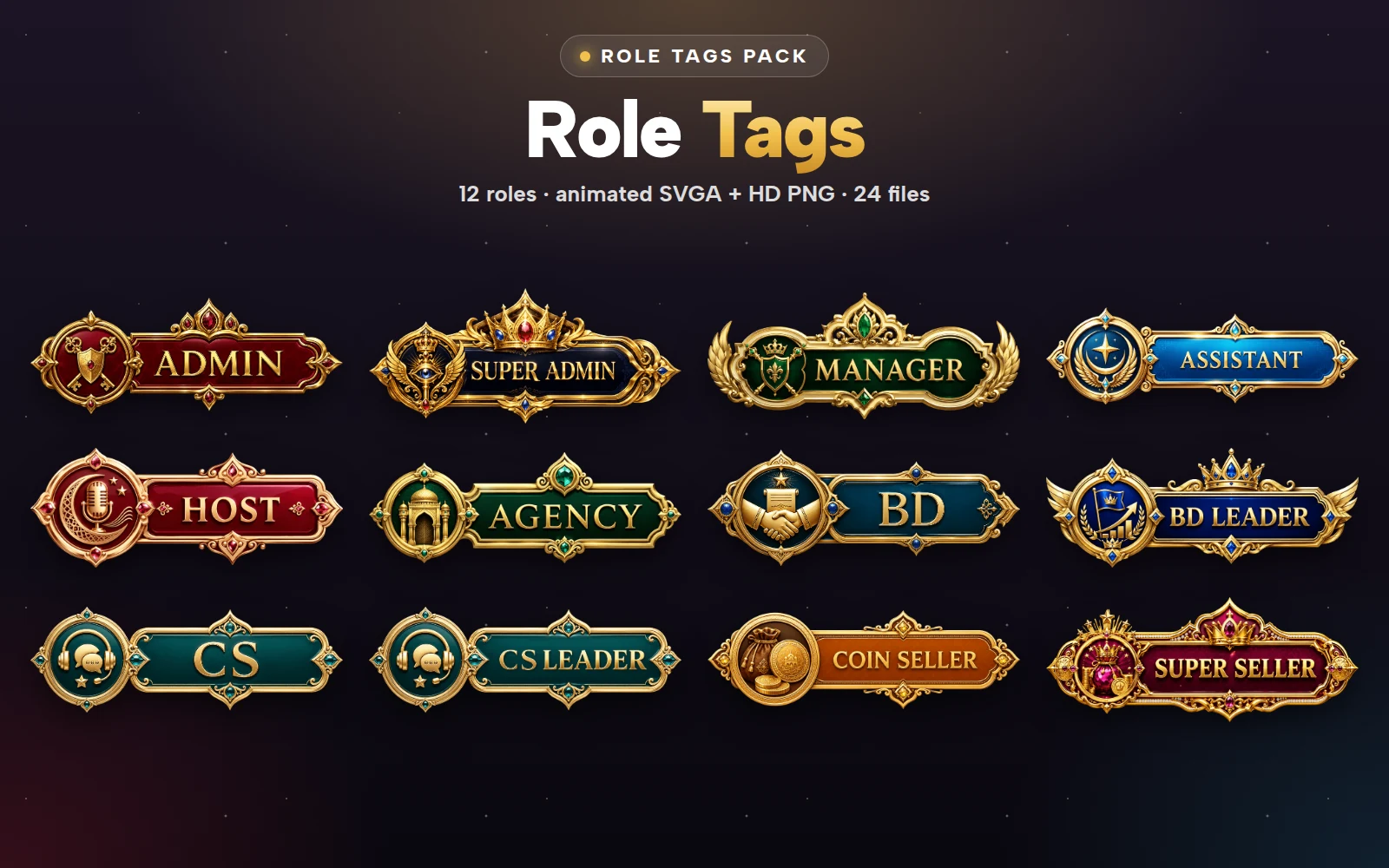
The Role Tags Pack is a set of twelve ornate gold nameplates, each with its own colour and emblem:
Platform staff: Admin, Super Admin, Manager, Assistant
Talent side: Host, Agency, BD, BD Leader
Support: CS, CS Leader
Sales: Coin Seller, Super Seller
Every tag is an SVGA animation at 520×230, 15 fps, with a two-second light sweep, between 182 and 276 KB. Each also comes as a high-resolution PNG, so the pack holds 24 files.
 520×230 · 2s
Role SetsSVGA
Admin Role Tag
- 520×230 · 2s
Role SetsSVGA
Super Admin Role Tag
 520×230 · 2s
Role SetsSVGA
Manager Role Tag
 520×230 · 2s
Role SetsSVGA
Host Role Tag
 520×230 · 2s
Role SetsSVGA
Agency Role Tag
 520×230 · 2s
Role SetsSVGA
Coin Seller Role Tag
Why role tags need their own look
Role tags sit in the same places as VIP badges and level tags: next to a name, on a profile, on a mic seat. If they look like another reward, users will read them as one. Three rules keep them distinct:
One shared finish. All twelve tags share the same 520×230 canvas and the same ornate gold. Users learn that this look means "official role", whatever the word inside says, so do not reuse it for anything users can earn.
A colour per role. Each tag has its own colour and emblem, so a user can tell a support agent from a coin seller before reading the word.
No way to buy them. Role tags are assigned by your team, never sold or won. If users can earn a lookalike, the tag stops protecting anyone.
Where each role shows
Not every role needs to appear everywhere:
| Role | Profile | Mic seat | Chat | Room list |
|---|---|---|---|---|
| Admin, Super Admin | Yes | Yes | Yes | No |
| Manager, Assistant | Yes | Yes | Yes | No |
| Host | Yes | Yes | Optional | Yes |
| Agency, BD, BD Leader | Yes | Optional | No | No |
| CS, CS Leader | Yes | When on duty | Yes | No |
| Coin Seller, Super Seller | Yes | Optional | Optional | No |
The point is to show a role where it helps the user. A support tag in the chat tells someone who to ask; a BD tag in the chat mostly adds noise.
 520×230 · 2s
Role SetsSVGA
CS Role Tag
 520×230 · 2s
Role SetsSVGA
BD Leader Role Tag
Frames and badges for the same roles
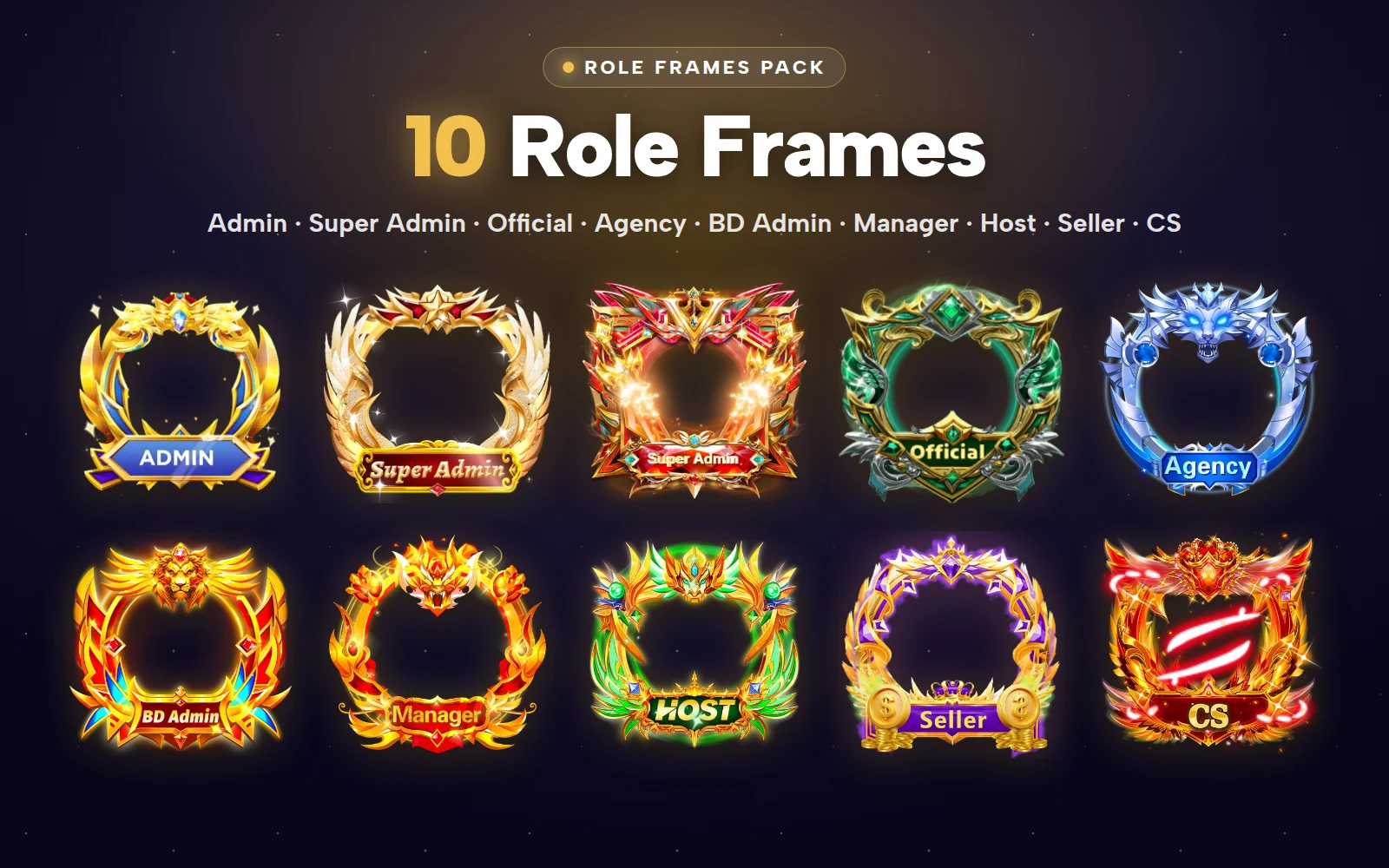
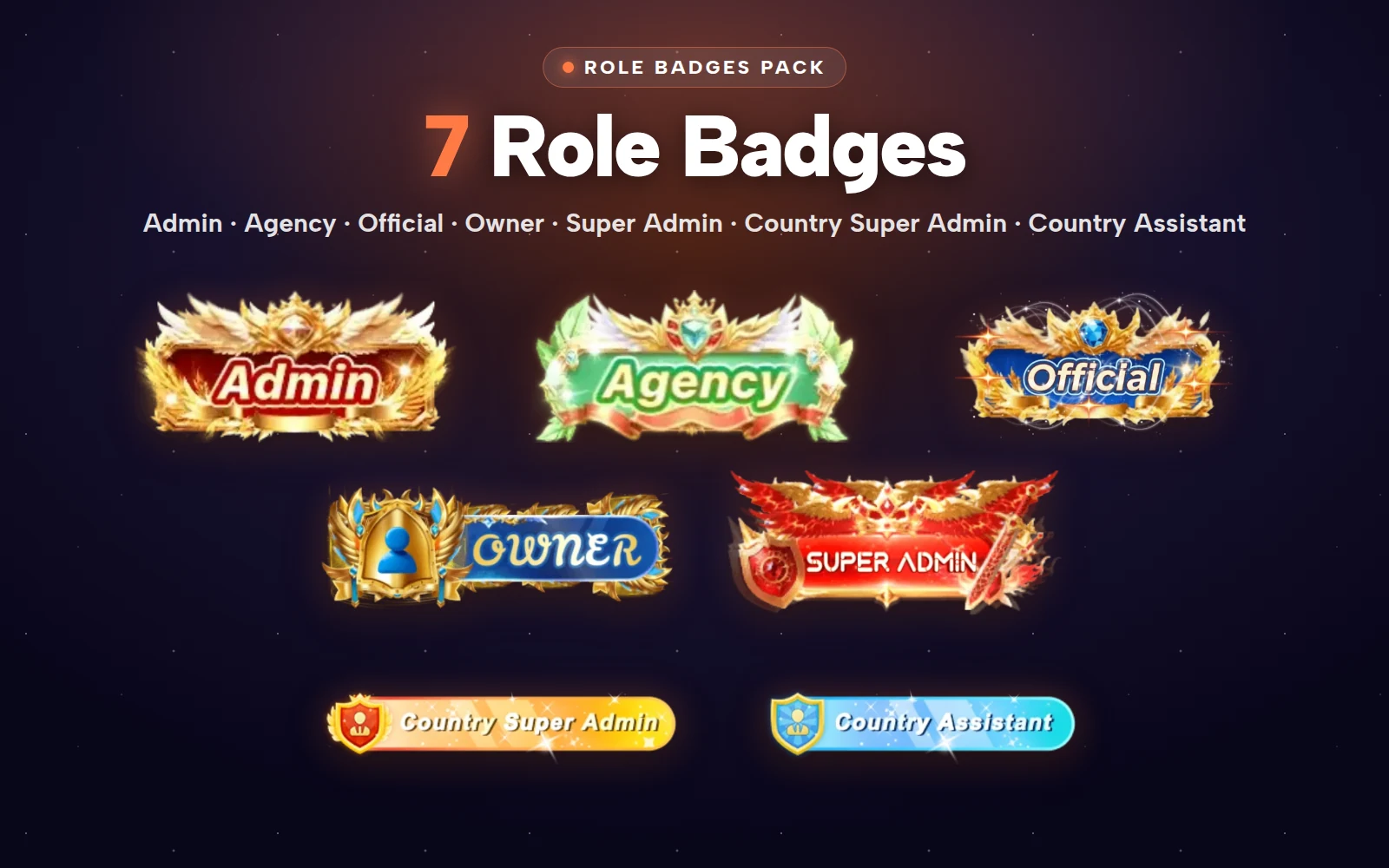
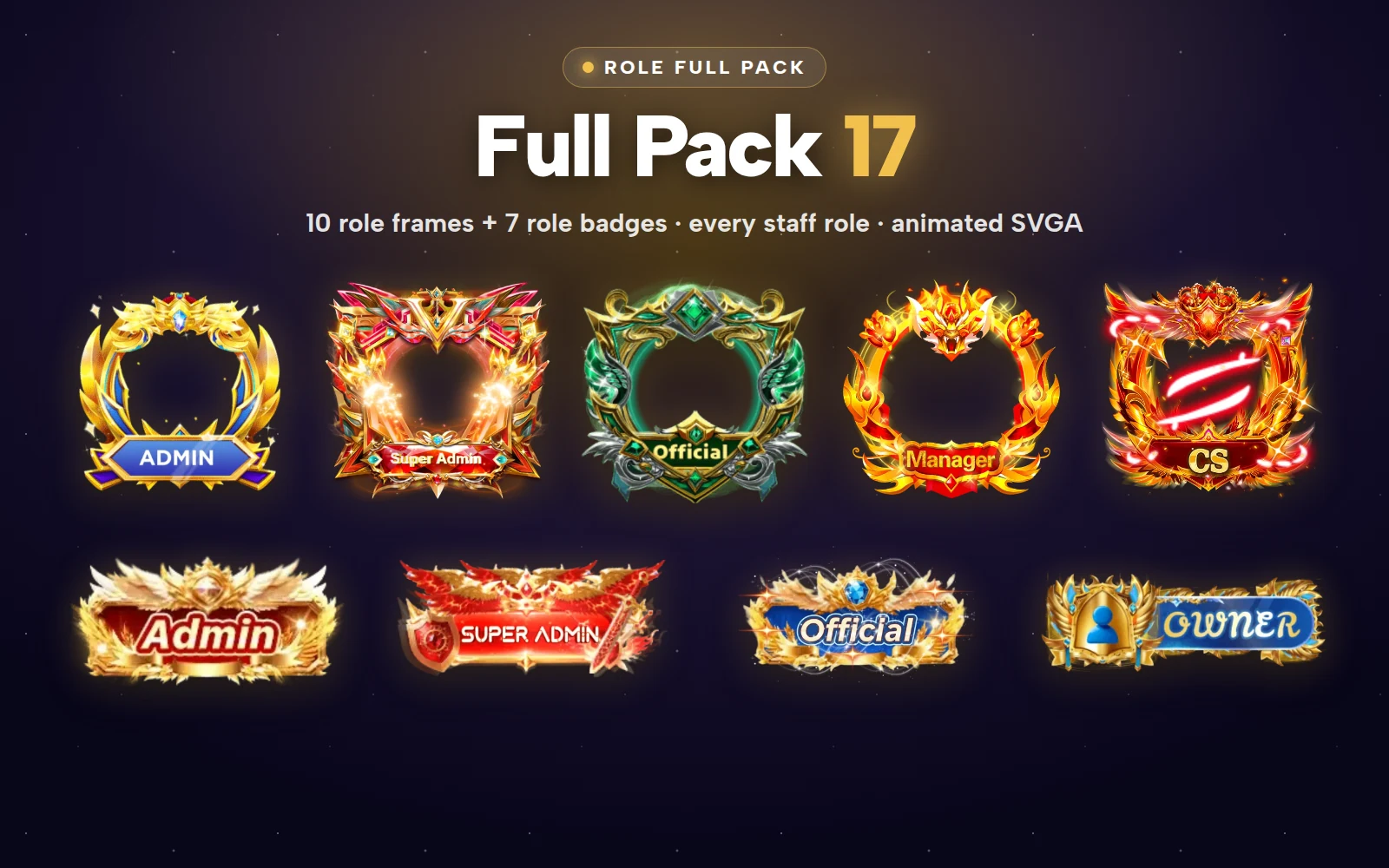
Tags cover the name. For the avatar and for name-plate badges, the Role Full Pack holds 17 SVGA files:
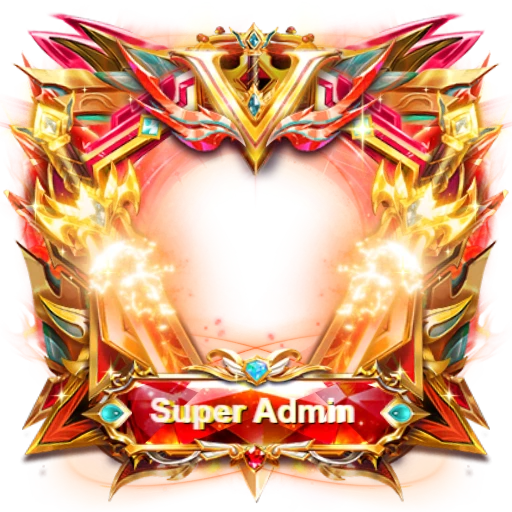
Ten role avatar frames: Admin, Super Admin (two designs), Official, Agency, BD Admin, Manager, Host, Coin Seller and CS. They range from 300×300 to 413×413, with the Coin Seller frame the heaviest at 2.86 MB and the Super Admin Star Frame the lightest at 208 KB.
Seven role badges: Admin, Agency, Official, Owner, Super Admin, Country Super Admin and Country Assistant. The Country badges are slim 360×80 strips at under 180 KB, built for country-level staff in apps that run regional teams.
The frames and badges are also sold separately, as the Role Frames Pack and the Role Badges Pack.
 347×347 · 1.8s
Role SetsSVGA
Admin Laurel Frame
 413×413 · 3s
Role SetsSVGA
Super Admin Ruby Frame
 400×150 · 2.2s
Role SetsSVGA
Owner Gold Plate
 363×200 · 1.7s
Role SetsSVGA
Official Blue Plate
Protecting the roles
The artwork is only half of the job. On the server side:
Store roles in your user records, assigned only from your admin panel, and never accept a role sent by the app itself.
Do not let users upload custom frames or badges that could copy a role's look.
Show a role in the profile with a short line of text, such as "Official support", so a screenshot of a tag alone cannot be used to fool someone.
Remove the tag the moment a role ends.
Role Tags Pack
12 gold role nameplates, animated + HD PNG


Launching a new app? Both packs are also inside the App Starter Pack, with 50 gifts, 20 entrances, 15 more avatar frames, Rich and Charm levels, chat emoji and palace backgrounds.





Next step
List the roles your app actually uses and decide, row by row, where each one should be visible. Then match each role to a tag, and to a frame where it needs one, and check them on your seat layout in the free viewer. The Role Tags Pack is sold only as the whole pack of 24 files.