Red Packet and Lucky Bag Animations for Live Rooms
A red packet drop is a shared appointment in a live room. How to animate each state, from countdown to open to the empty-handed miss, with real file specs and sizes.
svgastore team5 min read

A red packet drop is one of the few moments in a live room when everybody is looking at the same thing at the same time. Someone puts coins into an envelope, a timer starts, and the room fills with people waiting to tap. This guide breaks that moment into its animation states so your team can build an event that feels fair, fast and worth coming back for.
Why a drop works as an appointment
A gift lasts a few seconds and belongs to the person who sent it. A red packet is different: it is a shared promise with a time attached. That changes what the animation has to do.
It has to be visible beyond the room. A broadcast strip carries the news to people elsewhere in the app.
It has to make waiting feel deliberate. A countdown is the reason people stay put rather than drifting off to another room.
It has to resolve quickly. Once the timer ends, the open animation and the result need to land in a second or two, because everybody taps at once.
It has to credit the sender. The person who funded the packet gave the room a reason to gather; their name belongs on the banner.
The states of a red packet event
Most red packet flows are a short chain of states. Here is each one mapped to a real file from the Red Packets & Lucky Bags collection.
| State | Job | Example file | Canvas | fps | Length | Size |
|---|---|---|---|---|---|---|
| Countdown | Hold the room | Red Packet Countdown Lv 1 | 750x750 | 15 | 10 s | 406 KB |
| Countdown (full screen) | Hold the room | Gold Countdown | 750x1334 | 20 | 10 s | 633 KB |
| Open | Reward the tap | Red Packet Open Lv 1 | 750x750 | 15 | 1.3 s | 248 KB |
| Result | Celebrate the win | Lucky Gift Winning | 750x400 | 20 | 5 s | 453 KB |
| Result (compact) | Confirm the prize | Win (PAG) | 360x300 | 24 | 2 s | 115 KB |
| Room marker | Signal that a drop is live | Room Lucky Money | 116x116 | 30 | 2 s | 14 KB |
Before the countdown comes the announcement: a broadcast strip for the wider app, plus a small entry point in the room, such as Red Packet Receive Entry Background, that shows people where to tap. After the result comes the empty-handed state, covered below.
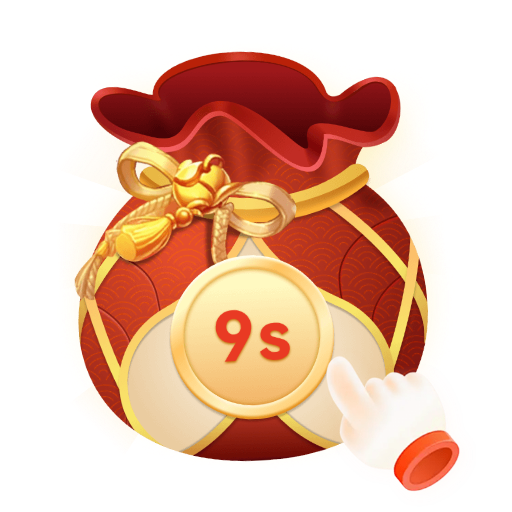 750×750 · 10s
Red packetsSVGA
Red Packet Countdown Lv 1
 750×750 · 1.3s
Red packetsSVGA
Red Packet Open Lv 1
 750×400 · 5s
Red packetsSVGA
Lucky Gift Winning
Matching the countdown to your timer
The red packet and colour countdowns all run for ten seconds. If your grab window is longer, do not loop a ten-second countdown three times; the restart reads as a glitch. Two better options:
Show a looping envelope for the early part of the window and start the countdown animation for the final ten seconds.
Draw your own timer text over the animation and treat the file as atmosphere rather than as the clock.
Either way, the server's timer is the truth, and the animation follows it.
Square or full screen
The square red packet countdowns (750x750 at 15 fps) cover only part of a 750x1334 screen, so more of the room stays visible. The colour countdowns (gold, blue, purple, red and green) are full height at 750x1334 and 20 fps, between 390 KB and 633 KB. Full screen suits a large, scheduled drop; for frequent small drops, the square version keeps the room usable.
Tiers without extra weight
The red packet countdown and open animations each come in three levels, which maps neatly onto packet value: a small packet gets Lv 1, a large one Lv 3. The useful detail is in the file sizes. The three countdowns are 406 KB, 409 KB and 420 KB; the three opens are 248 KB, 252 KB and 259 KB. Moving up a tier costs almost nothing in download size, so you can preload all three and choose at runtime.
Lucky bags and lucky money
A lucky bag usually behaves more like a prize draw than a split: the bag is filled, people join, and the contents are revealed.
Voiceroom Lucky Bag is a 710x710 SVGA at 20 fps, 4 seconds long and 366 KB, sized for the centre of a voice room.
Lucky Bag (PAG) g_11 is a small 184x184 PAG that runs for 8 seconds at 25 fps (458 KB), a good fit for a floating entry point that stays on screen while the bag is open.
Room Lucky Money is only 14 KB at 116x116, light enough to loop in a corner of the room all evening.
For Arabic and Urdu rooms, the Lucky Money banner also comes in RTL versions.
- 710×710 · 4s
Red packetsSVGA
Voiceroom Lucky Bag
 184×184 · 8s
Red packetsPAG
Lucky Bag Pair 11
 116×116 · 2s
Red packetsSVGA
Room Lucky Money
Design the miss, not just the win
When there are more grabbers than shares, some people will come away with nothing, and that moment decides whether they turn up for the next drop. Keep a dedicated empty-handed state, such as Envelope Un Rewarded Popup, shorter and quieter than the win, and avoid anything that looks like a penalty. If another drop is scheduled, say when. A user who misses and is told the next drop is at 9 pm has a reason to come back; a user who sees nothing at all does not.
Performance checklist
Preload the countdown and open files as soon as a drop is announced. The open lasts only 1.3 seconds, so any loading pause is obvious.
Watch the heavy end of the range. The collection runs from 3.2 KB to 1.33 MB with a median of 127 KB, and the heaviest file is a PAG background, Background Gift Luck Primary 2. Fetch files like that before the event starts, not during it.
Keep one full-screen effect playing at a time. If a big gift lands during a countdown, queue it until the result has shown.
Test every state on a dark room background in the free SVGA and PAG viewer, and check that held states loop without a seam.
Next step
Map your states first, then choose files for each one. The Lucky Bags and Red Packets pack bundles 12 lucky bag, red envelope and coin-shower animations for less than buying them one by one, a quick start for a prototype. For more variety, the full collection has 94 files, 61 SVGA and 33 PAG.