Gift combos and multipliers: how to pace a sending streak
Combo controls, gift numbers and x5 to x1000 multipliers each answer a different question for the sender. Here is how to pace them, with real lengths and sizes from the store.
svgastore team5 min read

Gift Number 10 plays for 2 seconds and Gift Number 500 for 3.1. That extra 1.1 seconds is a small detail, but it captures the craft of streak feedback: bigger moments get more room, and nothing should feel the same twice in a row. This post breaks combo feedback into three layers and shows how to pace each one with real files.
Three layers, three questions
When someone sends gifts in a run, they are asking three questions in quick succession, and each layer of animation answers one:
"Did my tap register?" The combo control: the button or ball the sender taps again and again.
"How far have I got?" Gift numbers: milestone counts from 10 up to 10000.
"Did I get something back?" Multipliers and rebates: the payout moment when a mechanic returns xN.
Keep these layers separate, both in your code and on screen. When one animation tries to answer all three questions at once, the sender cannot tell which signal matters.
The combo control: fast, small, never blocking
The combo control is the most-repeated animation in the whole flow, so it has to be cheap and responsive. Gift Combo and Gift Combo II are both 160x160 SVGA files at 30 fps, 5 seconds long and 79 KB. The high frame rate keeps a small, tactile element smooth, and the small canvas keeps it cheap to draw on repeat.
Two rules matter more than the artwork:
Never block input on the animation. The tap must register instantly. Restart or layer the effect, but never make the sender wait for a loop to finish.
Show readiness before the payoff. A short "ready" state, such as Multiplier Card Ready Use at 300x300, 15 fps, 1.5 seconds and 120 KB, tells people a bonus is armed before anything is sent.
Gift numbers: escalate in steps
The gift numbers below, from the Gift Combos & Bursts collection, share one canvas, 750x660 at 20 fps, so the number slot never jumps around the screen. What changes is length and weight.
| File | Length | Size |
|---|---|---|
| Gift Number 10 | 2 s | 21 KB |
| Gift Number 50 | 2 s | 25 KB |
| Gift Number 88 | 2 s | 17 KB |
| Gift Number 100 | 2.5 s | 79 KB |
| Gift Number 300 | 2.5 s | 187 KB |
| Gift Number 500 | 3.1 s | 149 KB |
| Gift Number 666 | 3 s | 119 KB |
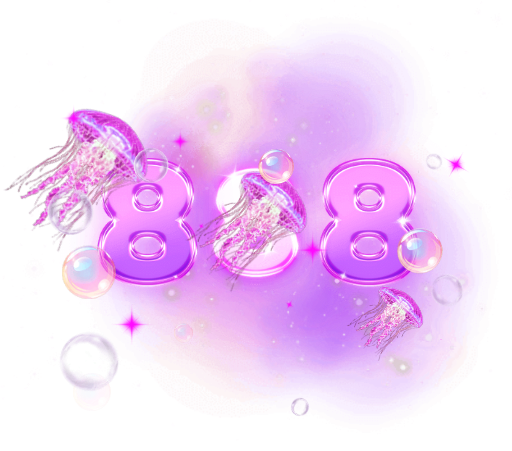
The low milestones are tiny and quick, and from 100 upwards the files run longer and weigh more than the low ones. That is the pacing you want: early milestones arrive often and should be light, while later ones are rare and can take the stage. The series also includes numbers often treated as lucky, such as 66, 88, 666, 777 and 888, alongside the round ones, so it is worth matching them to your gift-quantity presets.
Pacing rules that keep a long streak readable:
Do not play every step. If someone sends ten gifts in a second, show the milestone they reached, not ten overlapping numbers. Queue events and collapse them.
Let a higher milestone interrupt a lower one. Reaching 100 should cut the 50 short, never wait behind it.
Hold the last number for a beat after the streak ends, so the sender sees their final total.
 750×660 · 2s
CombosSVGA
Gift Number 10
 750×660 · 2.5s
CombosSVGA
Gift Number 100
 750×660 · 3.1s
CombosSVGA
Gift Number 500
Multipliers: same frame, bigger payoff
The x5 to x1000 rebate multiplier series takes a different approach to escalation. Every file is 440x440 at 15 fps and 3 seconds long, so the slot and the timing never change. The escalation lives in the artwork.
| Multiplier | Size |
|---|---|
| x5 | 301 KB |
| x10 | 327 KB |
| x20 | 298 KB |
| x50 | 413 KB |
| x100 | 441 KB |
| x250 | 488 KB |
| x500 | 467 KB |
| x1000 | 525 KB |
File size broadly climbs with the multiplier, from 301 KB at x5 to 525 KB at x1000, though not in strict order: x20 is lighter than x10, and x500 is lighter than x250. Fixed timing makes these easy to schedule, because you always know a multiplier will clear in 3 seconds. For the very top outcome, Rebate Gift Jackpot steps up to a 750x828 canvas, 20 fps and 4 seconds, at 523 KB. Reserving a larger canvas and a longer runtime for the rarest result keeps it special.
If your rebate or lucky-gift mechanic involves chance, the animation should celebrate an outcome without suggesting it is guaranteed, and the odds should be clear in your own UI. Check the rules that apply in each market you operate in.
 440×440 · 3s
CombosSVGA
Crowned Rebate Orb 5
 440×440 · 3s
CombosSVGA
Crowned Rebate Orb 100
 440×440 · 3s
CombosSVGA
Crowned Rebate Orb 1000
Performance: a streak is many animations in a row
A single gift is one animation; a streak can be dozens. The collection's 172 files (167 SVGA, 5 PAG) range from 4.6 KB to 948 KB, with a median of 105 KB, so budget for back-to-back playback rather than one file at a time.
Preload the low gift numbers and the combo control when the gift panel opens. They are small.
Fetch heavier milestones and multipliers as the streak climbs, before they are needed.
Allow one combo layer per sender on screen, and cap how many senders' streaks play at once.
Play a series back to back in the free SVGA and PAG viewer to check that each step feels like progress on the one before.
The pack
The Gift Combo & Multiplier Pack bundles 35 files for less than buying them separately: x5 to x1000 rebate multipliers, combo balls and gift numbers 10 to 10000.
Next step
Write down your gift-quantity presets and your multiplier tiers, then map each one to a file and note its length. If the lengths do not rise with the value, or two layers fight for the same spot on screen, fix that in the design before you write the queueing logic.