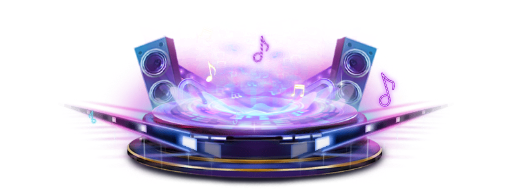
DJ and karaoke rooms: stages, mic-grab rounds and music controls
A karaoke round is a small state machine. DJ stage levels 0 to 3, every state of a mic-grab round from invitation to result, and the music controls around it, with real specs.
svgastore team5 min read

A karaoke round in a voice room is a small state machine. The round opens, someone grabs the mic, they sing, the room judges, and it ends in success or failure, all while a track plays and the DJ seat stays busy. Each state needs a signal people can read at a glance; this post maps them to real files and their specs.
Three layers of a music room
The DJ stage: who is running the music, and at what level.
The mic-grab round: the invitation, the stage, the health bar, the judging and the result.
Music controls: the small, always-on pieces that say a track is playing.
Most of them sit in the Mic, Voice & Seats collection: 155 files, 138 SVGA and 17 PAG. Its median file is only 2.4 KB, so half the collection is tiny. The karaoke pieces are the exception: no file in the collection is heavier than the singing stage at 1.09 MB.
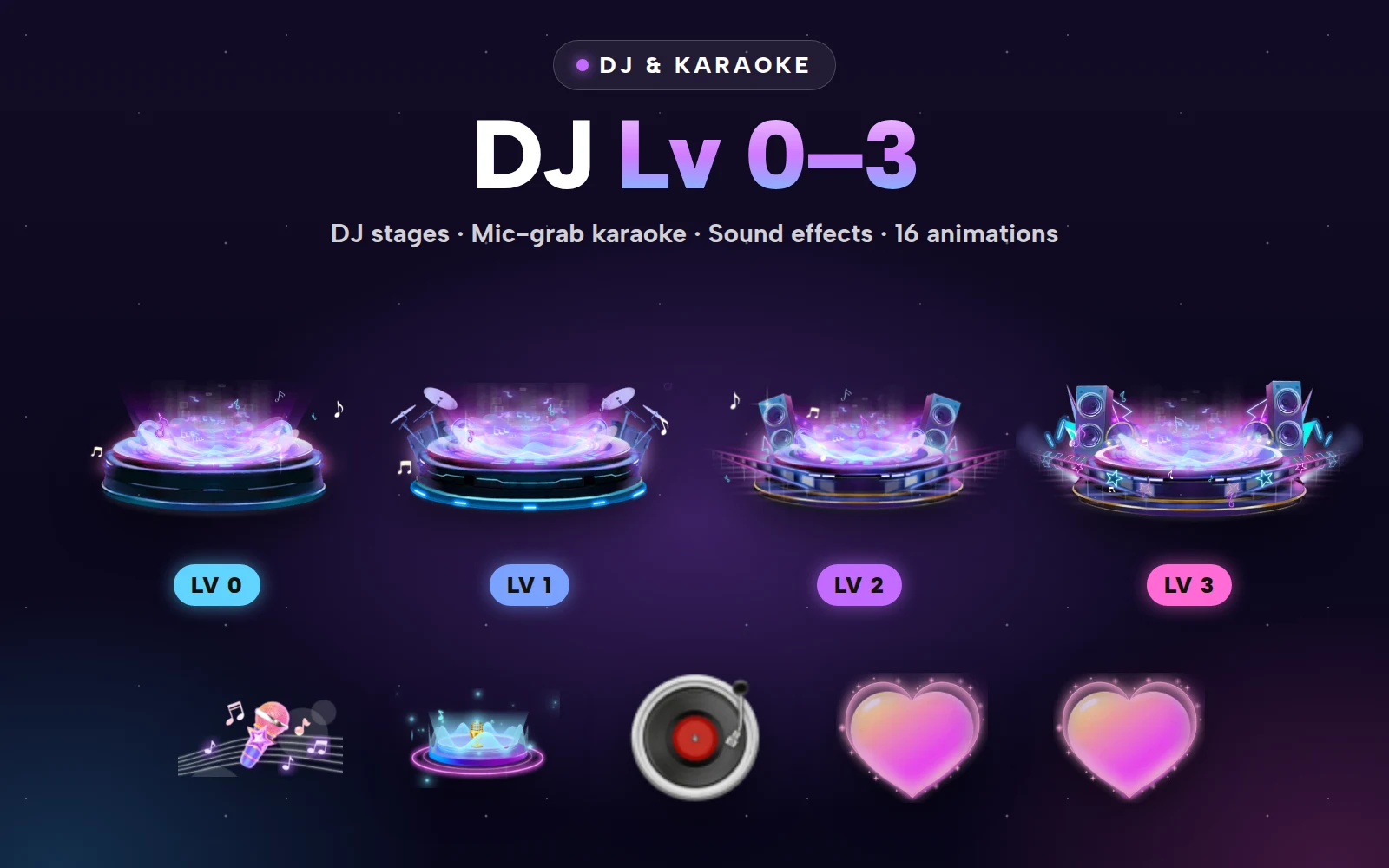
DJ stage levels 0 to 3
| Level | File | Canvas | fps | Length | Size |
|---|---|---|---|---|---|
| 0 | DJ Lv 0 | 750x280 | 30 | 6 s | 127 KB |
| 1 | DJ Lv 1 | 750x280 | 30 | 6 s | 202 KB |
| 2 | DJ Lv 2 | 750x280 | 30 | 6 s | 204 KB |
| 3 | DJ Lv 3 | 750x280 | 30 | 6 s | 320 KB |
Two things in that table make integration easy. Canvas, frame rate and length are identical at every level, so promoting a DJ is a change of asset path and nothing else, with no layout or timing code to touch. And the weight climbs with the level, from 127 KB to 320 KB, so the extra detail is spent where it is earned. A second set, DJ Lv 0 II to DJ Lv 3 II, matches this one on canvas, frame rate, length and file size.
Settle a few design questions before you pick art:
Define what a level means. Hours on the decks, sets completed or gifts received while playing all work, as long as DJs can see how to reach the next one.
Make Level 0 look finished. Every new DJ sees it first, so it should read as a starting rank, not a placeholder.
Give the strip a fixed slot. At 750x280 it is a wide band; anchor it above the stage area rather than floating it over seats.
Pause when no one is watching. A 6-second loop at 30 fps can run for a whole set, so stop it while the room is in the background.



DJ & Karaoke Pack
DJ stages Lv 0–3 and the mic-grab karaoke set
The DJ & Karaoke Pack bundles DJ stages Lv 0 to 3 with the mic-grab karaoke set: 17 files for less than buying them one by one.
A mic-grab round, state by state
| Moment | File | Canvas | fps | Length | Size |
|---|---|---|---|---|---|
| A round is open | Room List Mic Grab Entrance | 224x160 | 20 | 2.5 s | 682 KB |
| Someone is singing | Mic Grab Singing Stage | 300x206 | 20 | 3 s | 1.09 MB |
| Lyrics and controls | Karaoke Panel Background | 680x426 | 20 | 12 s | 444 KB |
| The singer loses health | Mic Grab Health Reduce | 64x64 | 20 | 0.8 s | 46 KB |
1. The invitation
The room-list entrance tells people outside the room that a round is running. At 682 KB it is heavy for a list cell, so play it only on rooms that are in a round right now and show a still on the rest.
2. The grab and the stage
Mic Grab Avatar Frame marks whoever holds the mic, and Mic Grab Singer Sound Ripple shows they are singing; drive the ripple from the live audio level, as you would any voice wave. The singing stage is the heaviest file here, so start loading it when the round opens, not when the first singer starts. The karaoke panel background loops over 12 seconds, long enough that the repeat goes unnoticed behind scrolling lyrics.
3. The health bar
Keep the bar itself as native UI: it changes continuously and has to be exact. Use Mic Grab Health Reduce, 0.8 seconds and 46 KB, as the hit that plays each time the bar drops. If two drops arrive close together, restart the hit rather than queueing it.
4. Judging and the result
Mic Grab Evaluating holds the room while scores or votes come in, Evaluate Success and Evaluate Fail are the two endings, and Mic Grab Result Headline announces the outcome. Compare the lengths of both endings; if they differ, time the next round from the longer one so the room never jumps. Keep the fail state gentle. People are singing in public, and a mocking result is a quick way to empty a stage.
- 224×160 · 2.6s
MicSVGA
Room List Mic Grab Entrance
- 300×206 · 3s
MicSVGA
Mic Grab Singing Stage
 41×26 · 0.5s
MicSVGA
Mic Grab Evaluating
 300×340 · 2s
MicSVGA
Mic Grab Evaluate Success
 300×250 · 2s
MicSVGA
Mic Grab Evaluate Fail
 64×64 · 0.8s
MicSVGA
Mic Grab Health Reduce
Music controls
These run for as long as the music does:
Room Music CD: 120x120, 20 fps, 2 s and 84 KB, a now-playing marker.
Background Music Controller Enter: 72x72, 15 fps, 1.8 s and 117 KB, the entrance for the music button.
Music Wave: 420x420, 20 fps, 2.5 s and 57 KB.
Party Music Entry: a PAG file, 134x130, 12 fps, 2 s and 17 KB.
Room Music Card and Room Sing Card: both come with right-to-left versions, such as Room Sing Card RTL, for Arabic and Urdu rooms.
Tie each one to the real audio state. A now-playing marker that keeps moving over silence tells people the app is broken.
 72×72 · 1.8s
 420×420 · 2.5s
MicSVGA
Music Wave
Sound and performance
None of the files in the tables above carries its own audio track, which suits a music room: the track and the singer are the sound.
Frame rates differ by role: 30 fps for the DJ strips, 20 for the mic-grab pieces, 15 for the controller entrance and 12 for the PAG music entry. Each player keeps its own clock, so mixing them is fine.
Next step
Open DJ Lv 0 and DJ Lv 3 on their product pages to see the bottom and top of the ladder, then decide whether the pack covers your round or you only need a few single files. Once you have them, play each on your own room background in the SVGA & PAG viewer, and add Mic and Seat Effects if your seats are still static.