Bomb Gift Animations by Level for Live Apps
A bomb gift is a promise with a timer. How to design the prepare, countdown and blast beats, pick an escalation strategy across seven levels and keep the room readable.
svgastore team5 min read

A bomb gift is a promise with a timer on it. Someone pays, the room watches a bomb being primed, and for a few seconds everyone waits for the bang. That built-in delay is what separates bombs from ordinary gifts, and it is where most of the design decisions live.
Why bombs come in levels
A level ladder gives senders a reason to step up without you inventing a new gift concept for every price point. The same idea gets bigger and brighter in the room as the level rises, and the sender can see exactly where their gift sits.
The Bombs & Blasts collection is built this way. It holds 64 files, 50 SVGA and 14 PAG, ranging from 3.4 KB to 1.08 MB with a median of 147 KB. Among them are two complete seven-step ladders, Bom Lv 1-7 and Bomb Gift Lv 1-7, alongside prepare states, countdowns, coloured explosions and small level icons.
Three beats: prepare, countdown, blast
Design a bomb as a short sequence, not a single file. Each beat tells the room something different.
| Beat | What the room learns | Files in the store | Specs |
|---|---|---|---|
| Prepare | A bomb has been armed, and at what level | Bomb Gift Prepare Lv 1-7 | Lv 1-3: 320x320, 10 fps, 2 s, 121-137 KB |
| Countdown | How long until it goes off | Bomb Gift Countdown, plus countdowns in five colours | See each product page |
| Blast | It landed, and how big it was | Bomb Gift Lv 1-7 | 320x320, 10 fps, 3 s, 420-456 KB |
| Marker | Which level is live | Entry Bomb1-7 Room | 104x104, 10 fps, 0.3 s, 28-42 KB |
Two things stand out in those specs. First, the blast runs 3 seconds at every level and the listed prepare states all run 2 seconds, so your timing code may need no per-level branches; check the higher prepare levels in the viewer before you rely on that. Second, the Entry Bomb icons last only 0.3 seconds at 10 fps, which makes them tiny pulses rather than scenes: right for a room tile, a gift-panel slot or a level picker.
Let the server own the clock
The countdown animation is decoration; the countdown itself belongs to your server. Show the remaining time from server state, and treat the animation as something that plays around that number.
Late joiners should land in the correct beat. If the bomb is mid-countdown, start there; if it has already gone off, skip to the result.
Backgrounded apps should not replay a blast that happened minutes ago when the user comes back.
Never stretch a file to fill a longer timer. Loop a countdown piece, or choose a timer that suits the art.
 320×320 · 2s
BlastSVGA
Bomb Gift Prepare Lv 1
 100×32 · 2s
BlastSVGA
Bomb Gift Countdown
- 320×320 · 3s
BlastSVGA
Bomb Gift Lv 7
Two ways to escalate a ladder
Put the two ladders side by side and they show two different design strategies.
| Level | Bom Lv (300x300, 15 fps, 3 s) | Bomb Gift Lv (320x320, 10 fps, 3 s) |
|---|---|---|
| 1 | 86 KB | 420 KB |
| 2 | 150 KB | 429 KB |
| 3 | 155 KB | 435 KB |
| 4 | 161 KB | 440 KB |
| 5 | 190 KB | 446 KB |
| 6 | 237 KB | 452 KB |
| 7 | 271 KB | 456 KB |
The Bom ladder more than triples in size from Lv 1 to Lv 7, which suggests each level adds material: more sparks, more layers, more going on. The Bomb Gift ladder grows by only 36 KB across all seven steps, which suggests one rich scene re-dressed at each level.
Both approaches work. Additive escalation makes the top tiers feel earned and fits best when Lv 7 costs many times Lv 1. Re-dressed escalation keeps every level consistent and makes download budgets predictable. Whichever you choose, the gap in spectacle should roughly match the gap in price.
 300×300 · 3s
BlastSVGA
Fuse Bomb Level 1
 300×300 · 3s
BlastSVGA
Fuse Bomb Level 4
 300×300 · 3s
BlastSVGA
Fuse Bomb Level 7
Colour as a level code
The store has explosions in five colours (Red Explosion, plus gold, green, blue and purple) and countdowns in the same five colours. Pair them so the countdown predicts the blast: a purple countdown should end in a purple explosion. There is also a run of files named Bom 0, Bom 20, Bom 40, Bom 60, Bom 80, Bom 95 and Bom 100, which maps neatly onto a charge or progress meter for room-wide bomb events.
Do not rely on colour alone. Print the level number on the prepare state and in the room notice, because colour is hard to judge on a small screen and impossible for some users to tell apart.
Room etiquette: big moments need space
Queue, but split the stage. Prepare plus blast already takes five seconds before you add a countdown. Let the countdown run in a compact corner while other gifts play, then give the blast the full stage.
Preload on intent. When someone opens the bomb tab or picks a level, fetch that level's prepare and blast files. The Lv 7 blast, at 456 KB, is about three times the collection median.
Mind the sound. None of the bomb files with specs in this post carries audio, and only 42 files in the whole store do. If you add an explosion sound, play it from your app so the user's mute setting applies.
Respect reduced motion. Offer a static poster and a text notice for users who ask for less movement.
Preview each beat in the SVGA & PAG Viewer on a dark and a light room background before you wire it up; soft glowing edges can look very different on each. SVGA files play with the open-source SVGAPlayer runtimes, and the PAG files in the collection need Tencent's libpag.
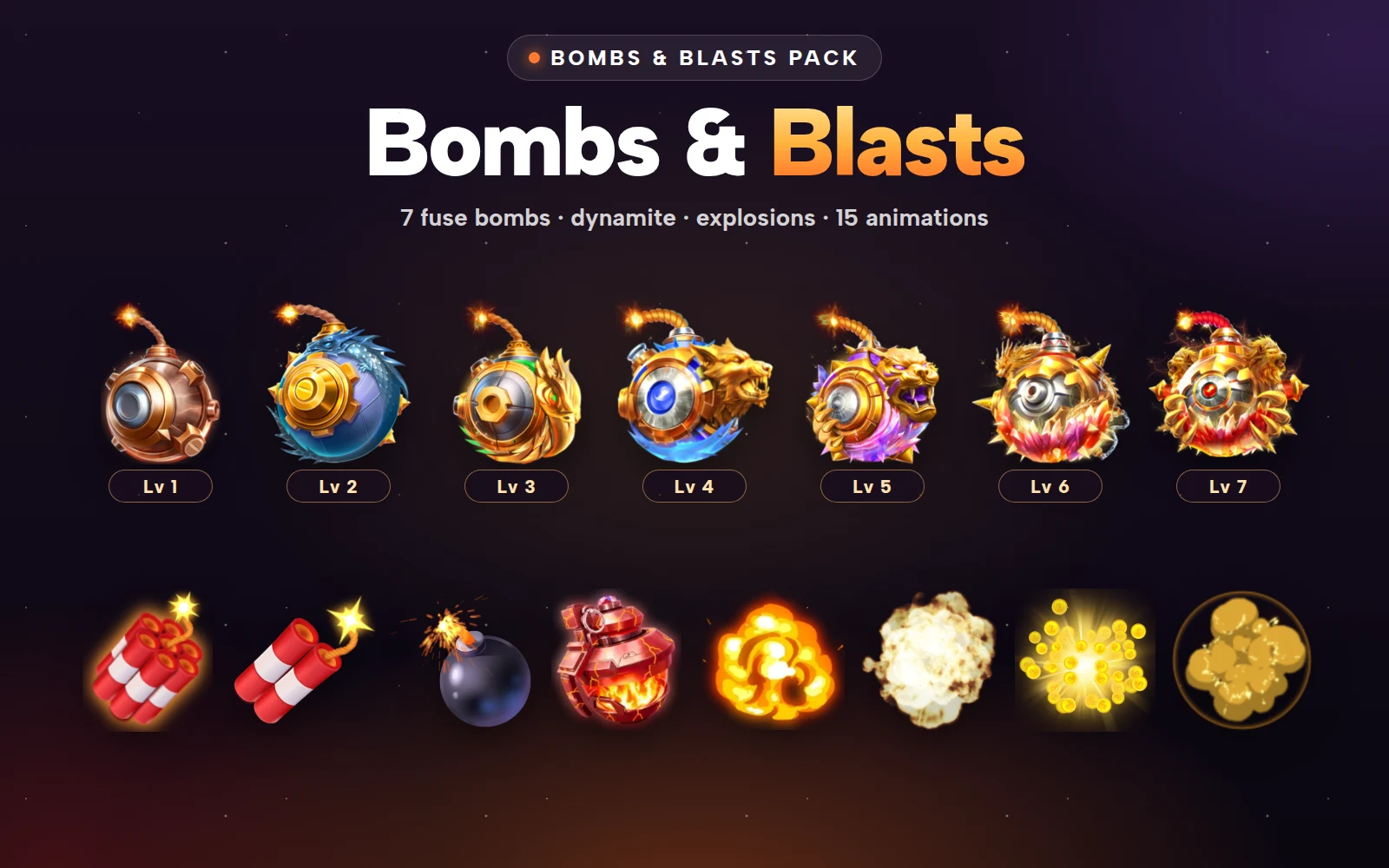


Bombs and Blasts Pack
Fused bombs, dynamite and fiery explosion effects
Next step
Sketch your bomb as three beats, decide which escalation strategy fits your price spread, then preview one level's prepare, countdown and blast together in the viewer. To start from a curated set, the Bombs and Blasts Pack bundles 12 files for less than buying them one by one. If your bombs also trigger rebates, the Gift Combo & Multiplier Pack covers x5-x1000 rebate multipliers.




