Avatar FramesDesignVoice Rooms
Avatar frames people actually want to wear
How to design and ship avatar frames for profiles and mic seats: canvas sizes, loop length, file weight, and why role, rank and decorative frames need different rules.
svgastore team5 min read

Most of the time, nobody looks closely at an avatar frame: it sits on a mic seat in a full voice room, next to a name in a ranking list, or in the corner of a profile card. A frame people want to wear is one that still reads at that size, flatters the face inside it and never becomes tiring to look at.
Our Avatar Frames collection holds 154 frames (138 SVGA and 16 PAG), and every spec below comes straight from those files.
Where a frame actually appears
The same frame file usually plays in several places, each at a different size:
The profile header, where it is largest and seen by someone who chose to look.
The mic seat, where it sits in a grid beside other frames and plays for as long as the user is in the room.
Lists and rankings, where it is small and often one of many on screen.
Chat and comments, where many apps show a reduced version or none at all.
Design for the mic seat first. If a frame works there, it will almost always work on the profile.
Three kinds of frame, three sets of rules
| Role frames | Decorative frames | Rank frames | |
|---|---|---|---|
| What it says | This person has a job here | I chose or earned this | I placed on a leaderboard |
| How it is given | Assigned by the app | Bought, gifted or won | Awarded each ranking period |
| How long it lasts | While the role lasts | Permanent or timed | Until the next period |
| Design priority | Instantly recognisable | Desirable and collectable | Clear position at a glance |
Role frames have to be unambiguous. The collection's role frames (Admin, Super Admin, BD Admin, Agency, Host, Manager, Reseller, Coin Seller and Official) each carry their own motif, so a moderator is never mistaken for a host, and the Role Frames Pack gives you one avatar frame per staff role. Give every role its own dominant colour in your app, and never reuse those colours on purchasable frames, or the signal stops meaning anything.
 347×347 · 1.8s
Role SetsSVGA
Admin Laurel Frame
 300×300 · 4s
Role SetsSVGA
Host Emerald Frame
 350×350 · 2.7s
Role SetsSVGA
Official Jade Frame
 300×300 · 4s
Role SetsSVGA
Agency Ice Wolf Frame
 300×300 · 4s
Role SetsSVGA
Manager Flame Frame
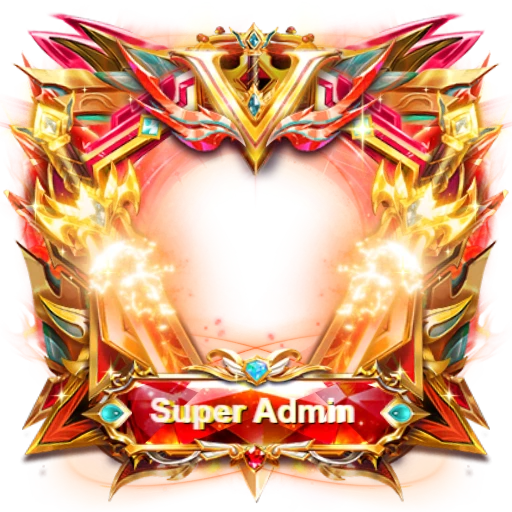
 406×406 · 1.5s
Role SetsSVGA
Super Admin Star Frame
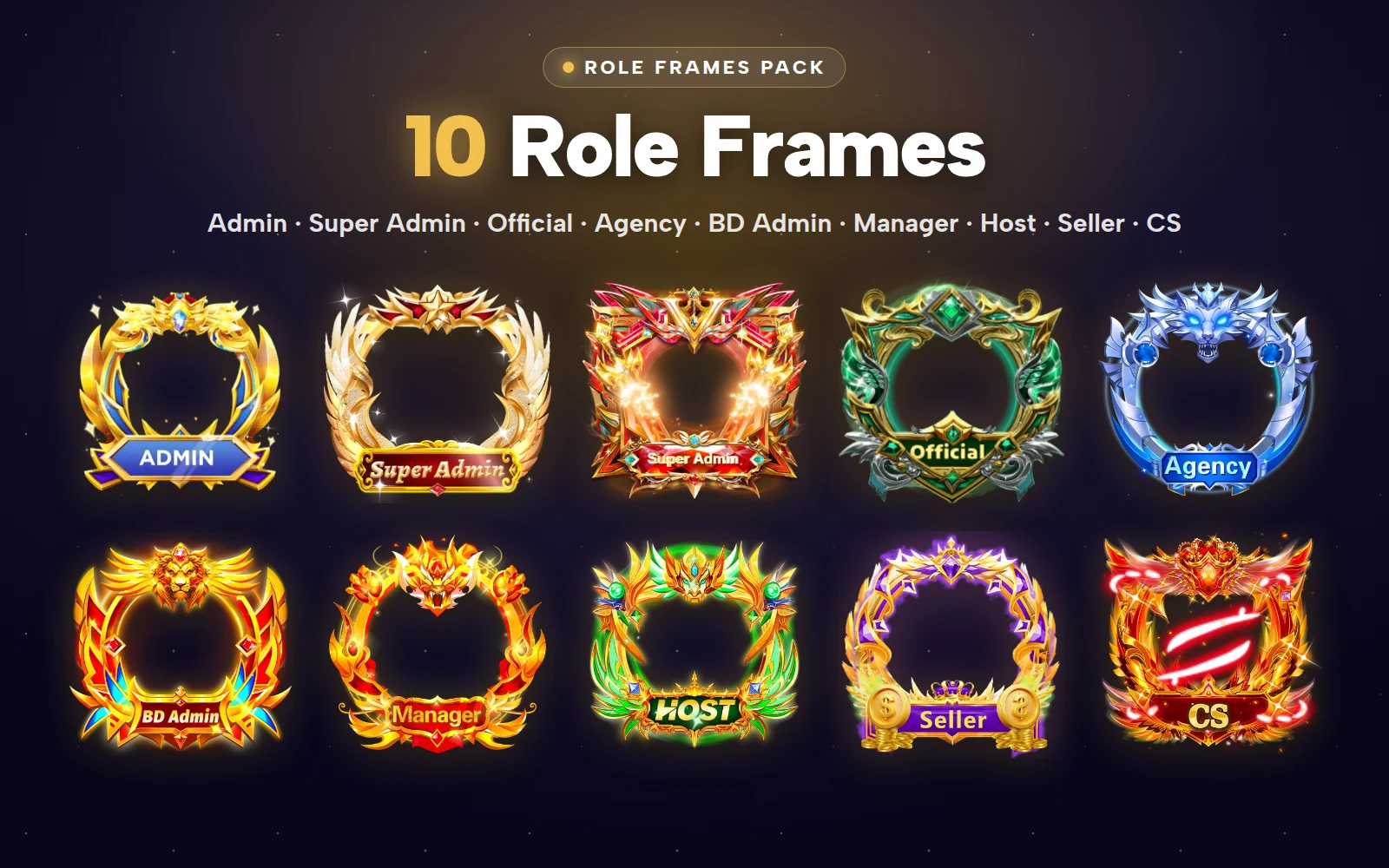
That pack bundles all nine files for less than buying them one by one. If you also want plates beside the name, the Role Badges Pack adds five role badges.
Decorative frames are where you can be generous with wings, crowns and particles, because they are what people collect. Rank frames should make the position obvious and should expire with the leaderboard; the Leaderboard Crowns Pack bundles 20 crowned frames and badges for top-ranked users.
Canvas sizes and the space in the middle
The featured frames in the collection are all square, drawn at a range of sizes:
| Frame | Canvas | FPS | Loop | Size |
|---|---|---|---|---|
| Fortune Dragon Frame | 240x240 | 15 | 3s | 469 KB |
| Jade Dragon Crown | 240x240 | 30 | 3s | 306 KB |
| Golden Wing Square | 300x300 | 20 | 4s | 154 KB |
| Rose Phoenix Halo | 300x300 | 30 | 6s | 1.50 MB |
| Admin Laurel Frame | 347x347 | 6 | 1.8s | 667 KB |
| Coin Seller Frame | 400x400 | 12 | 2.4s | 2.86 MB |
| Super Admin Star Frame | 406x406 | 12 | 1.5s | 208 KB |
| Golden Laurel Ring | 414x414 | 30 | 4s | 314 KB |
Two things follow for developers. First, the canvas is larger than the avatar it surrounds: the photo sits in the transparent centre and ornaments extend beyond it. Measure the ratio between the avatar circle and the frame canvas once per frame and store it with the file, rather than tuning it seat by seat. Second, draw the avatar first and the frame on top, so wings and crowns can overlap the edge of the photo naturally.
For designers, the rule is to protect the face. Keep the inner ring slim and let the drama happen at the top (crowns, halos) and at the sides (wings). Then check that ornaments on neighbouring mic seats do not collide in your tightest grid.
Loops that do not get tiring
A frame loops for as long as someone is on the mic, which can be hours. In the table above, loops run from 1.5 seconds to 6 seconds, and Winged Lion Crest stretches to 8 seconds. Frame rates in the same set run from 6 fps on Admin Laurel Frame to 30 fps on several others.
What makes a loop wearable:
A calm base with one accent. A slow shimmer around the ring with one brighter flourish per loop is easier on the eye than constant motion everywhere.
No visible seam. The last frame should flow into the first, or the jump repeats every few seconds.
A frame rate that suits the motion. A gentle glow does not need 30 fps; a flapping wing might.
File weight on a busy mic grid
A full voice room can show a frame on every seat at once, so weight adds up. Sizes across the collection run from 4.5 KB to 2.86 MB, with a median of 201 KB. Canvas does not predict weight: Golden Wing Square is 154 KB at 300x300, while Coin Seller Frame is 2.86 MB at 400x400. What matters is how many bitmap images the animation carries.
Practical steps:
Cache frames on the device after the first download.
Animate frames only on visible seats, and show a still poster in long lists.
Pause animation when the app moves to the background.
Decorative frames worth starting with
If you are launching a frame shop or a reward ladder, a varied first set should cover halos, wings and crowns:
- New300×300 · 6s
FramesSVGA
Rose Phoenix Halo
 300×300 · 6s
Best sellerSVGA
Aurora Feather Halo
 414×414 · 4s
Best sellerSVGA
Golden Laurel Ring
 414×414 · 4s
FramesSVGA
Sapphire Crown Halo
 240×240 · 3s
FramesSVGA
Jade Dragon Crown
 300×300 · 4s
FramesSVGA
Royal Crown Wings
The Avatar Frames Pack collects 24 decorative frames for less than buying them one by one.
Next step
Take one role frame and one decorative frame, open them in the free SVGA & PAG viewer and check how they look on different room backgrounds. Then place both at your real mic-seat size side by side: if you cannot tell the role from the decoration within a second, adjust the colours before you ship.