600×300 · 4s
BadgesSVGA
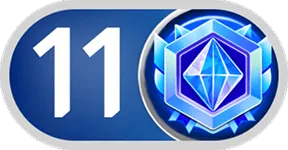
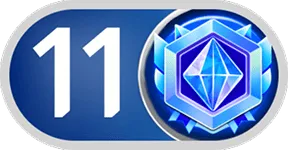
Blue crystal badge opening the sapphire tier
Colour arrives at level 11: the white numeral stands on a royal-blue pill with a silver rim, and a cobalt medallion frames an ice-blue faceted crystal inside a pale-blue hexagon. As the first blue badge in this collection, it comes as a 288×150 PNG of 17 KB for the host's name line in chat.
Sold with the pack
Part of Charm Level
This file comes with Charm Level and is not sold on its own.
Format
PNG
Dimensions
288×150
Type
Still artwork
Transparency
Alpha
File size
17 KB
Use
Any app
Better value
Included in Charm Level
101 animations for $20 (save 80%)
Works out at $0.20 per animation vs $1 on its own.
Charm Level 11 is a PNG gift image for live-streaming and voice chat apps. Colour arrives at level 11: the white numeral stands on a royal-blue pill with a silver rim, and a cobalt medallion frames an ice-blue faceted crystal inside a pale-blue hexagon. As the first blue badge in this collection, it comes as a 288×150 PNG of 17 KB for the host's name line in chat.
A 288×150 still image. The whole file is 17 KB, small enough to bundle inside your app instead of downloading it on demand.
| SKU | AVG-3673 |
|---|---|
| File name | charm-level-11.png |
| Format | PNGStill image with alpha transparency |
| Version | PAG |
| File size | 17 KB17,139 bytes |
| Dimensions | 288 × 150 px |
|---|---|
| Aspect ratio | 1.92:1 |
| Shape | Wide / banner |
| Suggested stage | Dark background |
| Category | Charm Level |
|---|---|
| Added | Sep 30, 2026 |
Figures are read from the .png file itself, not typed in by hand.
More Charm
More from Charm Level and matching tags — hover a card, or tap its play button, to see it move.
BadgesSVGA
BadgesSVGA
BannersSVGA
BannersSVGA

BannersSVGA

BannersSVGA

BannersSVGA
CPSVGA
CPSVGA
CPSVGA
LevelsSVGA
LevelsSVGA